
Streamline your complex business operations with KPI reporting automation. Discover how to save time, enhance accuracy, and drive data-driven decisions effortlessly.
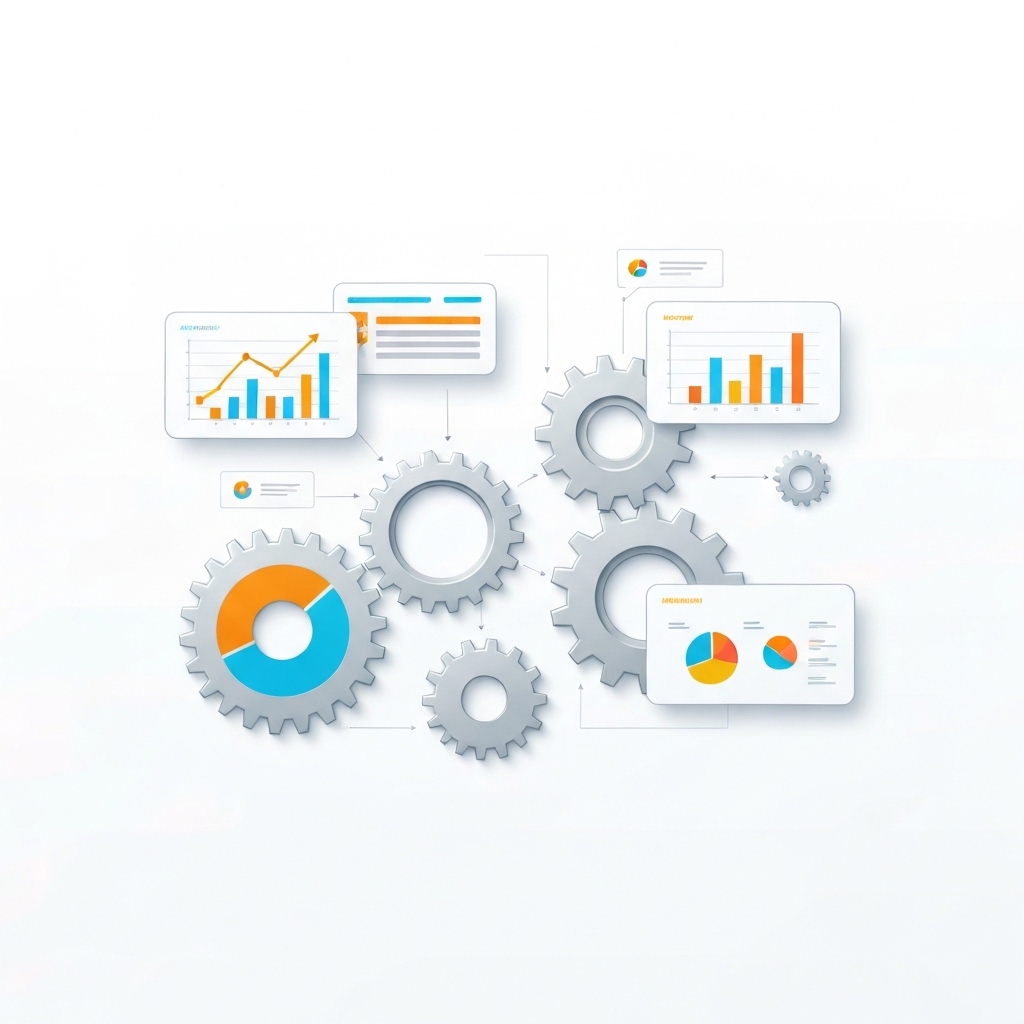
In today’s fast-paced business environment, complex operations demand precision, speed, and scalability. Key Performance Indicators (KPIs) are the lifeblood of decision-making, but manual reporting processes often lead to inefficiencies, errors, and missed opportunities. Enter KPI reporting automation—a game-changing solution that streamlines data collection, analysis, and visualization, enabling businesses to focus on what truly matters: growth and innovation.
In this article, we’ll explore the transformative power of KPI reporting automation, its benefits, implementation strategies, and best practices for complex business operations.
Why KPI Reporting Automation Matters
Complex business operations often involve multiple departments, systems, and data sources. Manually consolidating and analyzing this information is time-consuming and prone to errors. KPI reporting automation addresses these challenges by:
- Saving Time: Automating repetitive tasks like data collection and report generation frees up valuable hours for strategic initiatives.
- Enhancing Accuracy: Minimizes human errors, ensuring reliable and consistent data.
- Enabling Real-Time Insights: Provides up-to-date information for faster decision-making.
- Improving Scalability: Adapts to growing data volumes and evolving business needs.
- Driving Data-Driven Decisions: Delivers actionable insights in an easy-to-understand format.
The Challenges of Manual KPI Reporting
Before diving into automation, it’s essential to understand the pain points of manual KPI reporting in complex operations:
- Data Silos: Disconnected systems make it difficult to aggregate data from multiple sources.
- Inconsistent Reporting: Different teams may use varying formats or metrics, leading to confusion.
- Delayed Insights: Manual processes result in outdated reports, hindering timely decision-making.
- Resource Intensive: Requires significant manpower, increasing operational costs.
- Limited Visibility: Lack of real-time data limits the ability to monitor performance proactively.
How KPI Reporting Automation Works
KPI reporting automation leverages technology to streamline the entire reporting process. Here’s a breakdown of how it works:
- Data Integration: Connects to various data sources (e.g., CRM, ERP, spreadsheets) to pull relevant information.
- Data Cleaning: Automatically identifies and corrects inconsistencies or errors in the data.
- KPI Calculation: Applies predefined formulas to compute KPIs based on business objectives.
- Visualization: Transforms raw data into interactive dashboards, charts, and graphs for easy interpretation.
- Scheduling & Distribution: Automates report generation and delivery to stakeholders at predefined intervals.
Key Features of KPI Reporting Automation Tools
When selecting an automation tool, look for these essential features:
- Customizable Dashboards: Tailor reports to meet specific business needs.
- Real-Time Updates: Ensure data is always current.
- Cross-Platform Integration: Seamlessly connect with existing systems.
- Role-Based Access: Control who can view or edit reports.
- Alerts & Notifications: Flag anomalies or deviations from targets.
- Scalability: Handle increasing data volumes and complexity.
Implementing KPI Reporting Automation: A Step-by-Step Guide
Adopting automation requires a strategic approach. Here’s a roadmap to get started:
1. Define Your KPIs
Identify the metrics that align with your business goals. For example:
- Sales Team: Revenue growth, conversion rates, customer acquisition cost.
- Marketing Team: ROI on campaigns, lead generation, website traffic.
- Operations Team: Production efficiency, inventory turnover, order fulfillment time.
2. Assess Your Data Sources
Map out where your data resides and ensure compatibility with automation tools. Common sources include:
- CRM systems (e.g., Salesforce)
- ERP systems (e.g., SAP)
- Spreadsheets (e.g., Excel, Google Sheets)
- Analytics platforms (e.g., Google Analytics)
3. Choose the Right Tool
Select a KPI reporting automation tool that fits your needs. Popular options include:
- Tableau: Ideal for data visualization and complex analytics.
- Power BI: Great for Microsoft ecosystem users.
- Google Data Studio: Free and user-friendly for small to medium businesses.
- Zoho Analytics: Affordable and feature-rich for SMEs.
4. Design Your Dashboards
Create intuitive dashboards that highlight key metrics. Focus on:
- Simplicity: Avoid clutter and prioritize the most critical KPIs.
- Interactivity: Allow users to drill down into data for deeper insights.
- Accessibility: Ensure dashboards are accessible on all devices.
5. Test and Iterate
Pilot the automation system with a small team to identify and address any issues. Gather feedback and refine the process before full-scale implementation.
6. Train Your Team
Provide training to ensure employees understand how to use the tool effectively. Emphasize the benefits of automation to drive adoption.
Best Practices for KPI Reporting Automation
To maximize the impact of automation, follow these best practices:
- Align KPIs with Business Goals: Ensure metrics directly contribute to strategic objectives.
- Keep It Simple: Avoid overloading reports with unnecessary data.
- Monitor Regularly: Continuously review KPIs to identify trends and anomalies.
- Collaborate Across Teams: Involve stakeholders from different departments to ensure comprehensive reporting.
- Leverage Predictive Analytics: Use automation tools to forecast future performance based on historical data.
Real-World Examples of KPI Reporting Automation
Here’s how businesses are leveraging automation to transform their operations:
- E-commerce Company: Automated tracking of sales, inventory, and customer behavior led to a significant increase in revenue through data-driven marketing campaigns.
- Manufacturing Firm: Real-time monitoring of production KPIs reduced downtime and improved efficiency.
- Financial Institution: Automated risk assessment and compliance reporting saved hundreds of hours annually and minimized errors.
Overcoming Common Challenges
While KPI reporting automation offers numerous benefits, it’s not without challenges. Here’s how to address them:
- Data Quality Issues: Implement data validation processes to ensure accuracy.
- Resistance to Change: Communicate the benefits of automation and involve employees in the transition.
- Integration Complexities: Work with IT teams or vendors to ensure seamless system integration.
- Cost Concerns: Start with a scalable solution and measure ROI to justify investment.
The Future of KPI Reporting Automation
As technology evolves, so will KPI reporting automation. Emerging trends include:
- AI and Machine Learning: Predictive analytics and automated insights will become more sophisticated.
- IoT Integration: Real-time data from connected devices will enhance operational visibility.
- Natural Language Processing (NLP): Users will interact with reports using voice commands or conversational interfaces.
- Enhanced Security: Advanced encryption and access controls will protect sensitive data.
Conclusion
KPI reporting automation is no longer a luxury—it’s a necessity for businesses navigating complex operations. By streamlining data collection, analysis, and visualization, automation empowers organizations to make informed decisions, save time, and drive growth.
Whether you’re a small business or a large enterprise, the time to embrace KPI reporting automation is now. Start small, iterate, and watch as your operations become more efficient, accurate, and data-driven.
Ready to transform your business? Explore KPI reporting automation tools today and take the first step toward a smarter, more streamlined future.





























